Free trial
$0 for 3 days
Every feature, no limits.
- Unlimited projects and agents
- Live office, team map, replays
- Worktrees, budgets, approvals
- Built-in Foxpit Chat engine
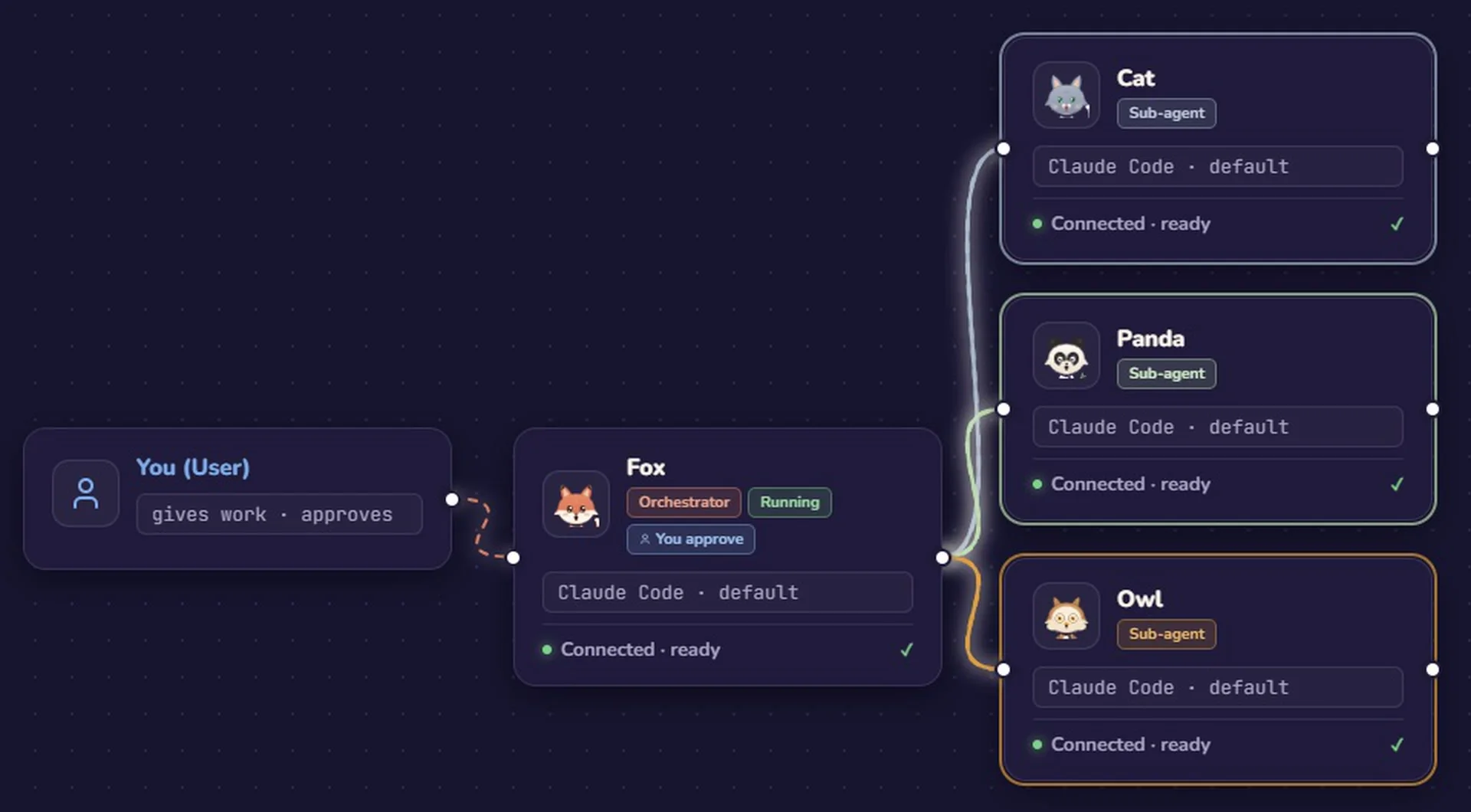
Foxpit runs Claude Code, Codex and OpenCode side by side. One lead agent splits your task, every agent shows what it's doing, and the one that needs you comes to the top.
Windows · macOS · Linux — no card needed — your code stays on your machine

npm run migrate
Simulated here. In the app it's a real 3D office, real terminals and real agents, with statuses from hooks over 127.0.0.1.
Runs the agents you already use
Foxpit engine any provider01 · Delegation
02 · Live office
03 · Approvals
npm run migrate
04 · Your team, your models
05 · Everything else
Each agent gets an isolated branch. Merge when you're happy.
See each agent's remaining quota and reset time. Hit a limit and the turn continues after the reset.
Set a limit per agent, project or day and see spending live.
When a teammate finishes: files changed, tests passed and what it cost.
Scrub back through a past run and see who did what, when.
A built-in agent that works with any model provider. Windows for now.
Agents leave notes for each other instead of guessing.
Every agent runs in a real shell you can type into anytime.
Paste or drop an image into any agent, terminal or chat.
Events stay on 127.0.0.1. No telemetry, no analytics.
Foxpit updates itself in the background and keeps your agent CLIs up to date.
Switch between repos; each keeps its own team and history.
06 · The crew
07 · Pricing
$0 for 3 days
Every feature, no limits.
$5 first month, then $12/month
Keep your team running after the trial.
Pro opens soon. Until then, Foxpit keeps working after your trial.
08 · FAQ
Yes. Foxpit runs the agents you already have — Claude Code, Codex, OpenCode or Antigravity — with your own accounts. The built-in Foxpit engine works with any provider you connect.
No. Your code, prompts and terminal output stay on your computer. Agent events travel over 127.0.0.1 only. Foxpit checks your plan online and GitHub for updates. That's all.
Yes, a free one. Sign in with an email code to start your 3-day trial. No card needed.
You'll need Foxpit Pro to keep going: $5 for the first month, then $12 a month. Pro isn't open yet, so until it is, Foxpit keeps working after your trial.
Yes. Every teammate runs on its own agent and model. Fox can plan on Claude Code while a teammate edits on Codex or a cheaper OpenCode model, all in the same project. Each one can work in its own Git worktree so they don't overwrite each other.
Tabs show text; Foxpit shows state. You see at a glance which agent is working, stuck or waiting for your approval, you get a notification when one needs you, and the lead agent hands work to the others instead of you copying prompts between tabs.
No. Foxpit adds standard hooks so agents can report what they're doing. Remove them with one click from the Agents panel.
No. Turn the office off in Settings and Foxpit becomes a clean multi-terminal and chat cockpit.
Windows 10 and 11, macOS on Apple Silicon, and Linux (AppImage). Node.js is not required.
Yes. Keep your strongest model for planning and review, and let teammates on cheaper or free models do research, routine edits and tests. The usage panel shows how much quota is left and when it resets, for agents that report it.
Yes. Teammates on the built-in Foxpit engine can use your own server (Ollama, LM Studio or any OpenAI-compatible address) or an API key from providers like OpenRouter, OpenAI, DeepSeek or Anthropic. The built-in engine runs on Windows for now; macOS and Linux are coming.
Ask on GitHub or use Settings → Report a bug in the app.
3-day free trial. No card. Bring the agents you already use.
Beta: the installer isn't code-signed yet. Windows: "More info → Run anyway". macOS: right-click → Open the first time. Setup guide
Enter your email, type the 8-digit code. Your trial starts.
Foxpit finds Claude Code, Codex, OpenCode and Antigravity and connects them in one click.
Open a project folder, type what you want, watch the team split it up.
❯ fix the flaky login test